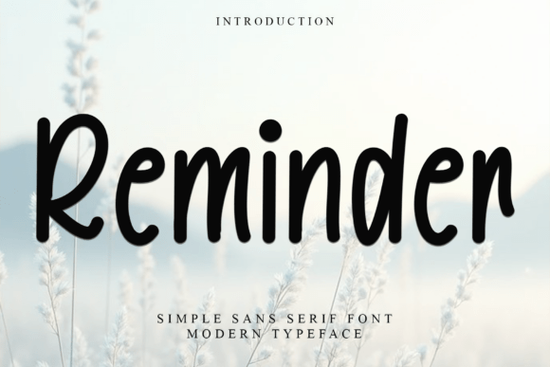
If you're looking for a friendly, hand-crafted holiday font that feels warm and familiar not stiff or overly polished Reminder Font is worth your attention. It’s not just another seasonal typeface; it’s designed with real projects in mind: greeting cards you’ll mail to neighbors, gift tags tied to handmade soaps, or printable party invitations for a cozy winter gathering. Its gentle curves, subtle swashes, and carefully spaced letters make it easy to read at small sizes while still carrying personality at larger ones.
What makes Reminder Font different from other holiday fonts?
Many festive fonts lean too far into glitter, snowflakes, or cartoonish exaggeration great for one-off graphics, but harder to pair with body text or use across multiple products. Reminder strikes a quieter balance. It’s decorative without being distracting, nostalgic without feeling dated. The PUA encoding means all alternate characters, ligatures, and ornaments are accessible right in your design app no need to hunt through glyph panels or install extra files. You get consistent results whether you’re using it in Canva, Adobe Illustrator, or Cricut Design Space.
It works especially well alongside simpler sans-serifs or classic serifs for contrast for example, pairing Reminder for headlines with Arvoire Leonard for body copy creates a thoughtful, layered look. That’s why it’s often used by small-batch stationery makers and print-on-demand sellers who want their holiday collections to feel intentional, not rushed.
Where does Reminder Font fit in your font library?
Think of it as the friendly neighbor to bolder display fonts like retro vintage fonts or chunky retro fonts. While those shine on posters or t-shirts, Reminder steps in when you need charm and clarity like on a small chalkboard sign for a coffee shop’s holiday menu or a stitched embroidery pattern for a linen tea towel. It also pairs naturally with monogram fonts, letting you layer initials or family names beneath a “Merry & Bright” headline without visual competition.
Unlike script fonts that require careful kerning or tight spacing, Reminder was built for practicality. Letters sit comfortably next to each other, even in all-caps settings, and its lowercase “g”, “y”, and “j” have gentle descenders that won’t clip in cutting machines. That reliability matters if you’re prepping files for vinyl cutters, sublimation printers, or DTG services.
Who uses Reminder Font and how?
- Crafters add it to SVG bundles for digital scrapbooking or printable planners especially popular in December-themed planner kits.
- Print-on-demand sellers use it across mugs, tote bags, and greeting card sets where warmth and readability matter more than trendiness.
- Small businesses apply it to email headers, social media banners, and in-store signage during November–January without needing custom illustration work.
- Hobbyists enjoy mixing it with free or low-cost companion fonts like Arvoire Leonard Font to build cohesive, printable holiday templates they can share or sell.
One thing users consistently mention: it prints cleanly. No fuzzy edges, no inconsistent line weights even at 12 pt on textured paper. That’s rare among decorative fonts and saves time troubleshooting output issues before a holiday deadline.
How to get the most out of Reminder Font
Start simple. Try it first in a single-color layout black on cream, navy on white, or forest green on kraft paper. Then experiment with layering: place a thin shadow or soft stroke behind the text for subtle depth, or overlay a faint watercolor texture underneath (not over) the letters. Avoid heavy outlines or gradients that compete with its natural rhythm.
Because it’s PUA-encoded, open your glyph panel and explore the alternates. You’ll find a few charming variations of the ampersand, heart-shaped dots on the “i”, and optional swash tails on capital letters. These aren’t gimmicks they’re tools. Use them sparingly to highlight key words (“Joy”, “Peace”, “Home”) rather than applying them across entire phrases.
If you already own Reminder Font, try pairing it with a neutral sans-serif like Montserrat or Lato for product labels or packaging. That combo keeps your brand voice clear and approachable ideal for handmade soap brands, local bakeries, or boutique gift shops.
Before you download or license: Check your software compatibility Reminder works with most modern design tools, but some older versions of Silhouette Studio may require manual PUA mapping. Also, remember it’s a display font: best for headlines, short quotes, and decorative accents not long paragraphs or web body text.
Quick checklist before using Reminder Font in your next project:
- ✅ Test spacing at your intended size especially for cut files or embroidery.
- ✅ Preview how ligatures and alternates appear in your layout (they’re optional, not automatic).
- ✅ Pair it with one neutral font for contrast avoid stacking multiple decorative fonts.
- ✅ Save a version with outlined text if sending files to a printer or production partner.
- ✅ Keep color contrast high for accessibility especially on physical products like cards or tags.
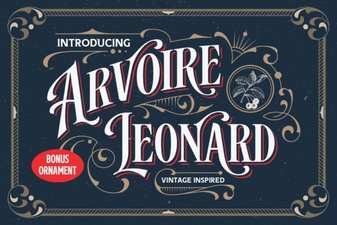 The Arvoire Leonard Font for Elegant Typography Projects
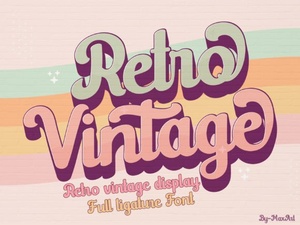 Crafting with Retro Vintage Fonts for Modern Projects
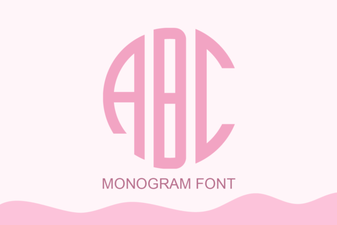 Monogram Font Ideas for Custom Projects
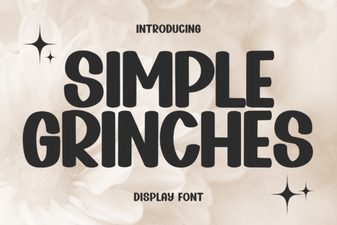 Fun Grinch-Inspired Fonts for Holiday Designs
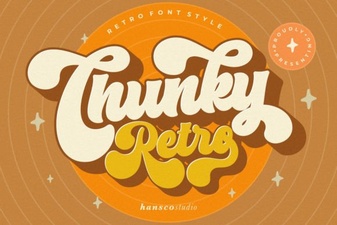 Vintage Chunky Fonts for Bold Design Projects
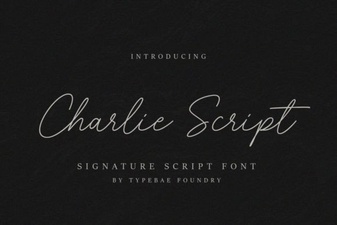 Charlie Script Font for Creative Design Projects