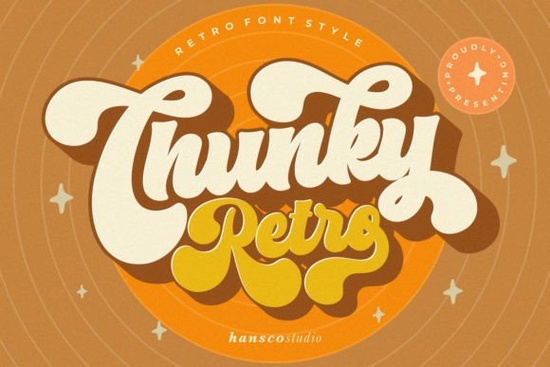
If you're looking for a retro font that feels fresh not dated Chunky Retro Font is worth your attention. It’s not a literal recreation of 70s or 80s type; instead, it reimagines retro styling with modern clarity: smooth curves, generous proportions, and gently rounded corners that keep things friendly and legible. Designers and crafters who’ve tried older retro fonts sometimes find them too jagged or hard to pair with clean layouts but Chunky Retro avoids that trap. It works well on mugs, t-shirts, social graphics, and even small-batch packaging where readability matters as much as vibe.
When does Chunky Retro Font work best?
This display font shines in contexts where you want instant visual warmth and personality without sacrificing polish. Think: café menu boards, enamel pin designs, Instagram story headers, or vinyl decals for kids’ rooms. Because its letterforms are open and generously spaced, it holds up well at medium sizes even when printed on textured paper or embroidered fabric. It’s especially handy if you’re designing for print-on-demand platforms like Redbubble or Printful, where bold, high-contrast fonts tend to translate more reliably across products.
It’s also a thoughtful alternative if you’ve used Reminder Font before and want something with more rounded energy or if you’ve leaned heavily on Arvoire Leonard Font for elegant contrast but need a friendlier, more playful option for secondary headlines or product tags.
How does it compare to other retro-inspired fonts?
Retro and vintage fonts vary widely in tone and usability. Some lean heavily into distressed textures or tight spacing, which can limit versatility. Chunky Retro keeps things clean and intentional no faux wear, no forced grit. That makes it easier to pair with minimalist sans-serifs (like Inter or Montserrat) or even delicate script fonts for balance.
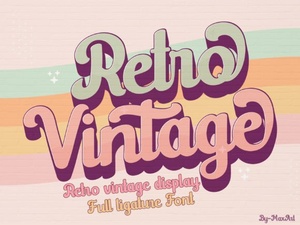
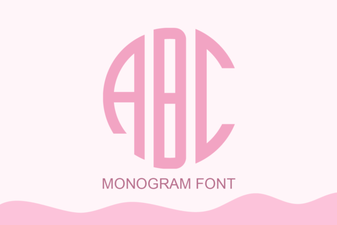
For example, if you're building a brand identity for a small-batch candle shop, you might use Chunky Retro for the product name (“Honeycomb Amber”) and switch to a soft monogram font like Monogram Font for initials on labels. Or if you’re designing a set of printable party banners, pairing it with Retro Vintage Font gives you subtle variety same era, different weight and rhythm.
What file formats and features does it include?
The download includes OTF and TTF files, plus web-ready WOFF for digital projects. You’ll get uppercase and lowercase letters, numerals, punctuation, and basic accented characters enough for English and many European languages. There’s no stylistic alternates or ligatures, which keeps things straightforward. That’s actually helpful if you’re new to typography or working under tight deadlines: fewer decisions, faster results.
You won’t find swashes or dingbats bundled here and that’s intentional. This is a focused display font, not an all-in-one toolkit. If you need decorative extras, consider layering it with a simple-grinches-style accent font like Simple Grinches Font for playful bullet points or icons.
Real-world tips for using Chunky Retro Font
- Size matters: Use it at 36pt or larger for body copy in posters or social tiles. At smaller sizes (under 24pt), stick to short words or acronyms like “SUN” or “VIBES”.
- Watch the background: Its chunky shape reads best against solid, light, or muted backgrounds. Avoid busy patterns directly behind it unless you add a subtle drop shadow or white stroke.
- Pair simply: Try pairing with a neutral sans-serif (e.g., Poppins or Lato) for supporting text. Avoid other retro fonts in the same layout unless they’re clearly differentiated by weight or function.
- Test print: If you’re ordering physical samples especially for embroidery or heat transfer print a test sheet first. The rounded corners hold up well, but thread density or vinyl thickness can affect how crisp the curves appear.
One last note: while Chunky Retro Font has strong retro roots, it doesn’t try to mimic any one decade. That flexibility is why it fits so naturally across categories from modern stationery to nostalgic baby shower invites. It’s designed to feel familiar, not formulaic.
Before you download: Check your project’s language needs, confirm you have the right license for commercial use (the standard Creative Fabrica license covers most small business and POD use), and preview how it looks alongside your brand colors. A quick mockup in Canva or Illustrator takes less than five minutes and saves time later.
Explore Design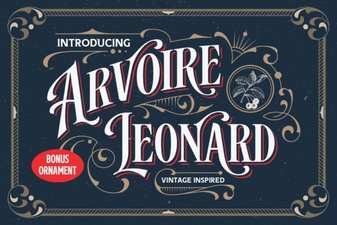 The Arvoire Leonard Font for Elegant Typography Projects
 Crafting with Retro Vintage Fonts for Modern Projects
 Monogram Font Ideas for Custom Projects
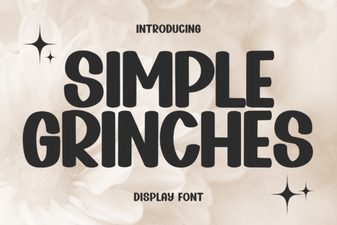 Fun Grinch-Inspired Fonts for Holiday Designs
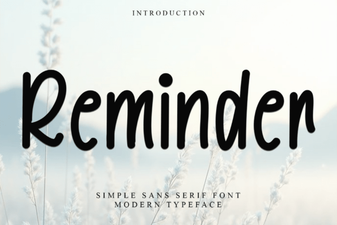 Reminder Fonts: Unlocking Creativity in Your Projects
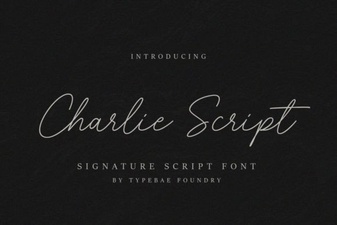 Charlie Script Font for Creative Design Projects