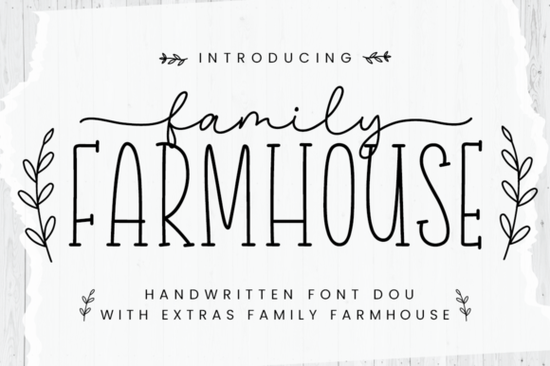
If you're looking for a warm, approachable font pair that works just as well on a rustic wedding invite as it does on a handmade soap label, the Family Farmhouse Font is worth your time. It’s not overly ornate or fussy just two thoughtfully designed fonts that sit comfortably together: one clean, slightly rounded sans-serif for headings or body text, and one relaxed, hand-drawn script for accents and charm. Both are PUA coded, so accessing alternates, ligatures, and decorative sweeps is straightforward in design apps like Cricut Design Space, Silhouette Studio, or Adobe Illustrator.
When does Family Farmhouse work best?
This font pair shines where authenticity and friendliness matter most. Think farmhouse-style branding for small-batch food products, printable wall art for nurseries or kitchens, or custom vinyl decals for mason jars and wooden signs. Because the two fonts share visual rhythm and weight balance, they don’t compete they support each other. You won’t need to spend time adjusting tracking or baseline shifts to make them feel cohesive.
It’s especially handy if you’re building a consistent look across multiple product lines. For example, use the sans-serif for your shop name and the script for taglines or seasonal phrases like “Made with Love” or “Small Batch, Big Flavor.” That kind of pairing helps customers recognize your brand faster even before they read the full text.
How does it compare to other popular script fonts?
Unlike some script fonts that lean heavily into formal calligraphy or exaggerated bounce, Hello Honey Font offers gentle curves and soft contrast ideal if you want warmth without looking dated. Sunday Font brings a bit more personality with its bouncy rhythm, great for playful greeting cards or social media graphics. If your project has holiday timing, Christmas Font gives festive flair without sacrificing readability. For clean, modern contrast, Straight Font keeps things grounded and legible at smaller sizes. And if you're going for moody or vintage storytelling, Gloomy Unseen Font adds subtle texture and character.
What crafters and small businesses actually use it for?
- Print-on-demand sellers: Pairing the sans-serif with the script creates strong visual hierarchy on mugs, tote bags, and throw pillows especially for cottagecore, homesteading, or “farm fresh” niches.
- DIY crafters: Cutting vinyl or iron-on transfers? The clean outlines and open counters mean fewer weeding headaches and better results on textured surfaces like burlap or wood grain.
- Local bakeries & cafes: Use the script for daily specials chalkboard-style, and the sans-serif for prices or ingredients both remain highly legible even when scaled down for small menu cards.
- Etsy shop owners: Consistent font use across product photos, listing banners, and thank-you cards builds trust and makes your shop feel intentional not pieced together.
PUA coding means all glyphs including stylistic alternates, swashes, and multi-letter ligatures are accessible via your keyboard’s standard character map or glyph panel. No need to hunt through layers or manually swap letters. If you've ever struggled to get a script font to flow naturally across a line of text, this simplifies things significantly.
A few practical tips before you download
Try testing both fonts at the same size first many users assume the script should be larger, but often scaling them identically (or making the script slightly smaller) creates better visual balance. Also, avoid overusing swashes on short words like “the” or “and” they’re most effective on names, verbs, or emotional phrases like “gather,” “grow,” or “home.”
If you’re layering text over photos or busy backgrounds, the sans-serif half of Family Farmhouse holds up well thanks to its generous x-height and clear letterforms. Just keep contrast in mind: light gray text on a cream linen photo background may disappear unless you add a subtle drop shadow or white stroke.
Finally, remember that licensing matters. Creative Fabrica’s standard license covers personal use and small commercial projects (like selling up to 500 physical items), but always double-check the license details before launching a large print run or digital product bundle.
Before you start designing:
- Install both fonts to your system first don’t rely on web previews alone.
- Open your design software and test how the fonts behave with your usual workflow (e.g., kerning adjustments, SVG export, cut settings).
- Sketch out one real project like a simple label or social post before buying extras or bundles.
- Save a style guide snippet: which font goes where, preferred sizes, and go-to color combos.
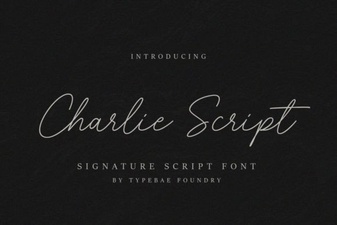 Charlie Script Font for Creative Design Projects
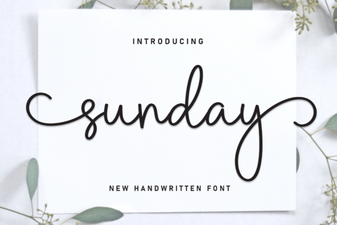 Sunday Font Guide: Design Tips & Projects
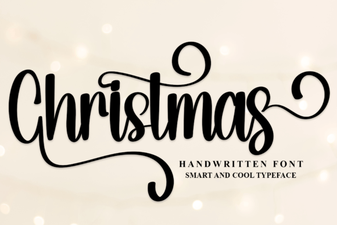 Festive Christmas Fonts for Holiday Designs
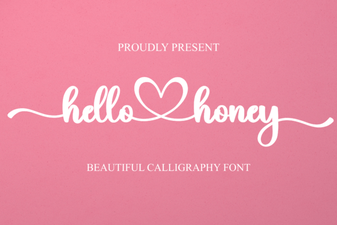 Hello Honey Font: Creative Handwritten Designs
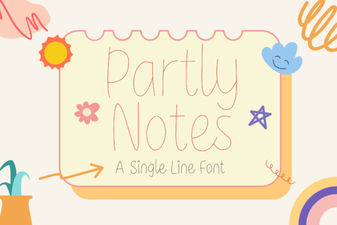 Partly Notes Font: Creative Typography for Design Projects
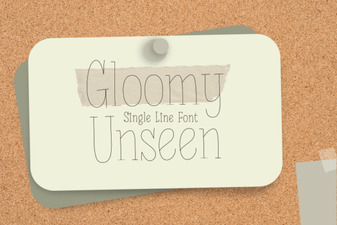 Download the Gloomy Unseen Font for Creative Design