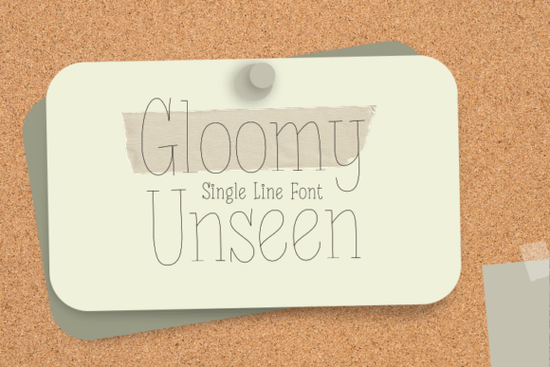
If you're using a Cricut machine and want clean, hand-drawn-looking text that writes smoothly with the Pen tool, Gloomy Unseen Font is worth trying. It’s a single-line script meaning no overlapping strokes or fills so it draws in one continuous motion. That makes it especially reliable for greeting cards, small craft signs, journaling, or labels where precision matters. Unlike many decorative fonts, it avoids excessive swirls or tight loops, which helps prevent pen skips or stutters on thinner paper or cardstock.
Who is Gloomy Unseen best for?
This font suits crafters who value simplicity over flair and who don’t want to spend time troubleshooting cut paths or adjusting letter spacing before every project. It works well for:
- Small-batch greeting card makers (think birthday, sympathy, or thank-you notes)
- Print-on-demand sellers adding subtle handwritten accents to mugs, notebooks, or tote bags
- Home-based small businesses labeling jars, tags, or packaging
- Hobbyists using Cricut Joy or Maker machines who prefer low-fuss, high-legibility scripts
Because it's built specifically for Cricut’s Pen function, it doesn’t require manual path cleanup or stroke-to-outline conversion. You can type, size, and send straight to your machine no extra prep steps.
How does it compare to other single-line fonts?
Gloomy Unseen sits comfortably between playful and polished. It’s not as bouncy as Sign Rathi Font, nor as structured as Straight Font. Its rhythm feels relaxed but intentional like something you’d write quickly with a fine-tip marker. If you’ve tried Splashed Font and found its energy too busy for everyday use, Gloomy Unseen offers a calmer alternative without sacrificing personality.
It also pairs well with more grounded sans-serifs or serif display fonts when layering text say, pairing it with a bold headline font for a wedding invitation or seasonal shop sign. For farmhouse-style branding, it complements Family Farmhouse Font nicely: think “fresh eggs” in Family Farmhouse above “$4/doz” in Gloomy Unseen.
What file formats and features come with it?
You’ll get OTF, TTF, and WOFF files enough to use in Cricut Design Space, Silhouette Studio, Adobe Illustrator, or even Canva (via upload). There are no ligatures or alternate characters, which keeps things predictable. That’s helpful if you’re batch-producing items and need consistent output across dozens of designs. The lowercase letters have gentle variation in height and angle not so much that it looks uneven, but enough to feel hand-lettered rather than robotic.
Uppercase letters are included, but they’re designed to match the lowercase flow not formal or uppercase-heavy. So if your project leans casual (like a baby onesie or coffee sleeve), you’ll likely stick with lowercase most of the time. Numbers and basic punctuation are fully supported, and spacing has been tested across common Cricut pens including fine-point gel and metallic ink pens.
Real-world tips for getting the best results
Here’s what users report working well:
- Use 20–24 pt size minimum for best legibility on cardstock smaller sizes can blur slightly depending on pen tip width
- Stick with smooth, coated cardstock (like Neenah Astrobrights) instead of textured kraft for cleaner lines
- If your Cricut pauses mid-letter, check pen pressure settings first Gloomy Unseen doesn’t need heavy pressure, and lower settings often yield smoother motion
- For layered projects (e.g., vinyl + pen), cut the base shape first, then run the pen job second this avoids accidental smudging
One thing to keep in mind: because it’s a single-line font, it won’t work for fill-based effects like shadow layers or gradient overlays unless you convert to outlines first which defeats the purpose. Save those treatments for multi-line or display fonts like Sunday Font.
If you're building a small collection of dependable script fonts for daily use not just occasional flourishes Gloomy Unseen fits neatly alongside others you might already own. It’s not flashy, but it’s steady. And in crafting, consistency often matters more than novelty.
Before you download: Double-check your Cricut machine model supports the Pen tool (all Maker and Explore models do; Joy does too, but test at smaller sizes first). Then try typing a short phrase like “hello friend” at 28 pt in Design Space send it to preview, and watch how cleanly each letter flows into the next. If it looks natural and even, you’ve got a solid go-to for your next round of handmade tags, cards, or labels.
Explore Design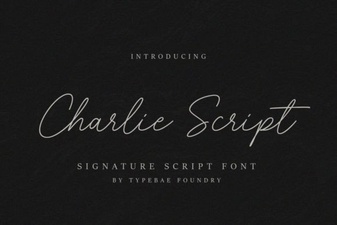 Charlie Script Font for Creative Design Projects
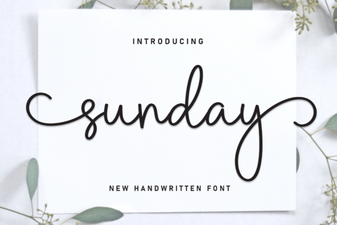 Sunday Font Guide: Design Tips & Projects
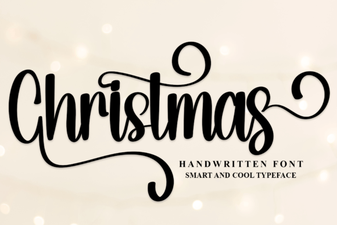 Festive Christmas Fonts for Holiday Designs
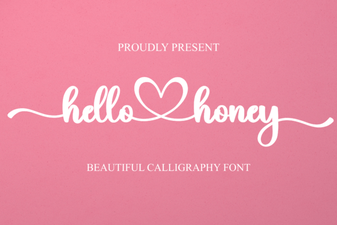 Hello Honey Font: Creative Handwritten Designs
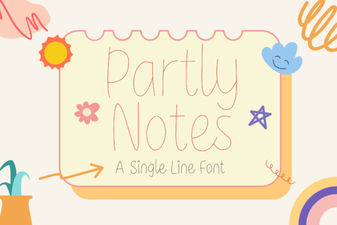 Partly Notes Font: Creative Typography for Design Projects
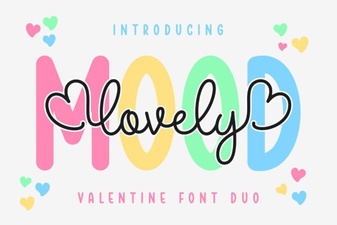 Bring Charm to Projects with Lovely Mood Duo Font