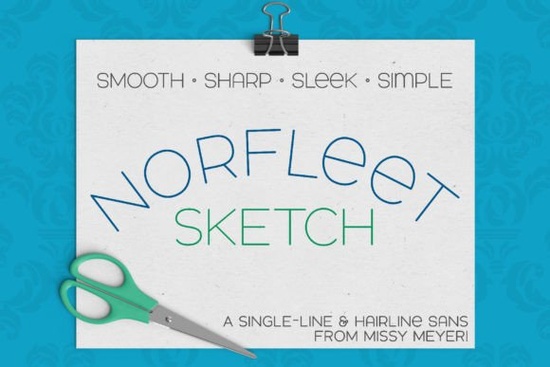
If you're looking for a clean, modern single-line font that works reliably across cutting machines, sketch pens, and engraving tools, the Norfleet Sketch (single Line) Font is worth your attention. It’s not just another script or decorative typeface it’s built from the ground up as a true single-stroke sans-serif, designed specifically for tools that draw rather than cut outlines. Whether you’re layering text on a tumbler with an Infusible Ink pen, scoring delicate lines on wood with a Glowforge, or sketching labels with a Cricut Joy’s pen tool, this font handles those tasks without extra vector cleanup most of the time.
What makes Norfleet Sketch different from regular fonts?
Most fonts you install are outline-based: they have fillable shapes with inner and outer edges. That’s great for printing or digital display, but not for drawing tools. Single-line fonts like Norfleet Sketch are drawn with one continuous path like handwriting with a fine-tip pen. This means fewer nodes, smoother curves, and predictable behavior in programs like Silhouette Studio or Cricut Design Space.
The set includes two versions:
- Norfleet Sketch One: A true single-line font one unbroken stroke from start to finish. Best for advanced users in Illustrator or Inkscape who can manually separate endpoints if needed (e.g., for CNC or Rhinoceros). Some design apps auto-close the path, but that’s easy to fix with a quick node edit.
- Norfleet Sketch Two: A hairline outline version strokes so narrow they appear as lines. No editing required. Works out-of-the-box in Silhouette Studio, Cricut Design Space, CorelDRAW, Affinity Designer, and Inkscape.
Neither version works in Word, Google Docs, or standard printers and that’s intentional. These aren’t for documents. They’re for making marks: sketching, scoring, foil quilling, engraving, or hand-drawn-style signage.
Which version should I choose?
If you’re new to single-line fonts or mostly use Cricut or Silhouette, start with Norfleet Sketch Two. It’s plug-and-play. If you’re using Glowforge’s scoring mode, a Brother ScanNCut (with compatible firmware), or vector-heavy workflows in Illustrator, try Norfleet Sketch One especially if you need precise control over stroke continuity.
Not sure? The download includes a helpful PDF guide that walks through which version suits your machine and software including tips for adjusting spacing in Silhouette Studio or converting paths in Inkscape. It also clarifies known limitations, like the fact that Brother Canvas Workspace doesn’t reliably support single-line fonts at this time.
How does it pair with other fonts?
Norfleet Sketch has a wide, airy stance and minimal contrast making it surprisingly versatile. Its double-uppercase base gives it presence without heaviness, and subtle lowercase variants (like the round-topped “a” and lowercase-style “e”) add quiet personality. You can pair it with bolder sans-serifs for contrast, or lean into minimalism with something like Chopard Font for headings and Norfleet Sketch for subheads or accents. For rustic or handmade vibes, try layering it over Charm Grunge Font backgrounds the clean lines hold up well against texture.
It also complements outdoor or adventure-themed projects nicely. If you’re designing trail signs, hiking gear labels, or national park merch, North Hiking Font shares a similar functional clarity and Norfleet Sketch adds a refined, contemporary counterpoint.
Real-world uses crafters and small businesses love
- Personalized wooden coasters engraved with names or dates
- Infusible Ink mugs where fine-line text avoids bleeding or blurring
- Custom vinyl decals for laptops or water bottles especially when layered under bold graphics
- Hand-lettered-style greeting cards made with a Cricut Pen + cardstock
- Minimalist product tags for Etsy shops or farmers’ market goods
Because it’s optimized for low-node paths, Norfleet Sketch renders cleanly even at small sizes (down to ~12 pt in many cases), and scales well for large-format wall art or signage as long as your tool supports fine-line detail.
One thing to keep in mind: always test your font at actual size and speed before running a full batch. Some pens skip on tight curves; slowing down your machine’s drawing speed by 10–20% often improves consistency, especially on textured surfaces.
Before you download: Check your software’s compatibility list first. If you’re using Cricut Design Space, go with Norfleet Sketch Two. If you’re in Affinity Designer and plan to tweak anchor points, try Norfleet Sketch One. And if you’re still unsure, refer to the included PDF guide it’s written clearly, with screenshots and program-specific notes.
Try It Free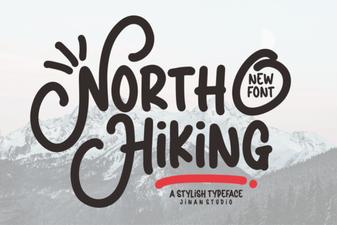 North Hiking Font: Adventure Typography Projects
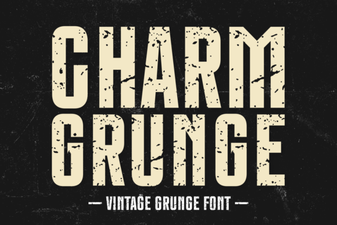 Charm Grunge Fonts: Creative Design Projects
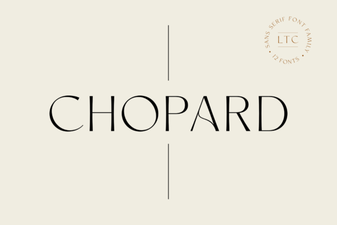 Craft a Project Using the Elegant Chopard Font
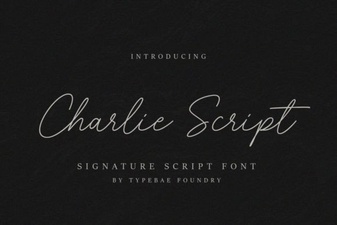 Charlie Script Font for Creative Design Projects
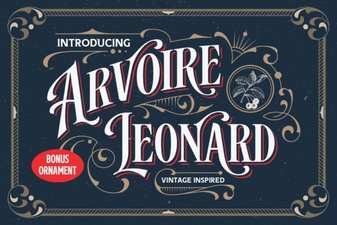 The Arvoire Leonard Font for Elegant Typography Projects
 Crafting with Retro Vintage Fonts for Modern Projects