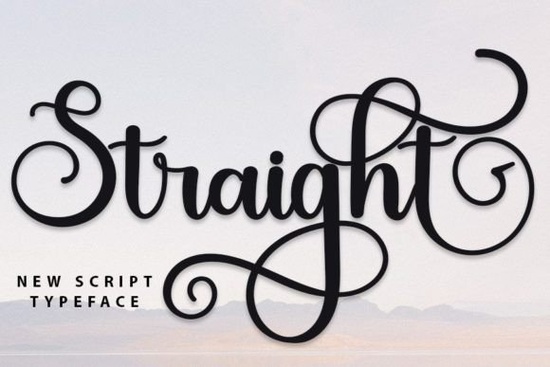
If you're looking for a clean, modern handwritten font that still feels personal and intentional, Straight Font is worth your attention. It’s not overly decorative or fussy instead, it balances simplicity with subtle character, making it easy to read at small sizes and expressive enough for headlines or logos. Designed with real-world use in mind, Straight works well for greeting cards, social media graphics, product labels, wedding stationery, and even small business branding. Its inspiration comes from classic calligraphy, but the execution is contemporary: consistent spacing, smooth letterforms, and thoughtful alternates that avoid looking robotic.
What makes Straight different from other script fonts?
Many script fonts fall into one of two camps: either too formal and rigid, or too loose and inconsistent for professional use. Straight sits comfortably in the middle. It’s handwritten, yes but not in a way that sacrifices legibility or rhythm. Letters connect naturally without awkward joins, and the weight distribution across uppercase and lowercase letters feels balanced not top-heavy or cramped.
The PUA encoding is especially helpful if you’ve ever struggled to access swashes or alternate characters in design software. With Straight, you can pull up stylistic alternates, ligatures, and contextual forms directly from your glyph panel (in apps like Adobe Illustrator or Affinity Designer) or via keyboard shortcuts no workarounds needed. That means less time digging through menus and more time designing.
Where does Straight fit in your font collection?
Think of Straight as the reliable, go-to script for projects where personality matters but clarity matters more. It pairs well with clean sans-serifs (like Inter or Montserrat) for contrast, or stands alone in minimalist layouts. You’ll find it useful alongside other well-designed scripts like Partly Notes, which leans slightly more playful, or Sunday Font, which has a softer, rounded flow. If you prefer something bolder and more structured, Charlie Script offers strong contrast and confident strokes. For splashy, energetic moments, Splashed Font brings movement and spontaneity while Straight keeps things grounded and intentional.
Who uses Straight and how?
- Print-on-demand sellers appreciate how well Straight scales on mugs, tote bags, and wall art it holds detail at larger sizes and stays crisp even when printed small on tags or packaging.
- Small business owners use it for logo variations, email headers, or Instagram story text overlays especially those in wellness, lifestyle, or handmade goods niches.
- Crafters rely on its clean lines for cutting machine projects (Cricut, Silhouette), since the paths are smooth and open-type friendly.
- Designers working with clients like having a script option that doesn’t require justification or explanation it just looks right, without feeling trendy or dated.
How to get the most out of Straight Font
Start by exploring the included ligatures some combinations (like “th”, “st”, or “ff”) have custom connected forms that improve spacing and rhythm. Try enabling OpenType features in your design app, or browse the glyphs panel to see what’s available. You’ll notice subtle differences in lowercase “a”, “g”, and “y” that add quiet variety without disrupting consistency.
Don’t overuse all the alternates at once. Pick one or two stylistic versions per project maybe a single swash capital for a logo, or a set of connecting lowercase letters for a tagline. Too many variations can feel busy rather than bespoke.
If you’re new to script fonts, test Straight at different sizes and weights first. It’s optimized for readability down to 14pt in body copy (with proper line height), but for best results in print, aim for 18pt or larger for short phrases.
A note on licensing and compatibility
Straight Font includes desktop, web, and app licenses so whether you’re designing static files for print, embedding in a Shopify store, or using it in Canva templates, you’re covered. It supports Latin-based languages and includes multilingual punctuation. No need to hunt for extended character sets the essentials are built in.
For comparison, you might also explore similar styles like Straight Font, Partly Notes Font, or Sunday Font to see which fits your current project best.
Before you download: Open your design software, create a new document, and type out a few sample words your brand name, a common phrase, or even just “hello world”. Try adjusting tracking, size, and color. Does it feel like a natural extension of your voice? If yes, Straight is likely a solid addition to your toolkit. If not, try one of the related options above you might find a better match for your specific use case.
Explore Design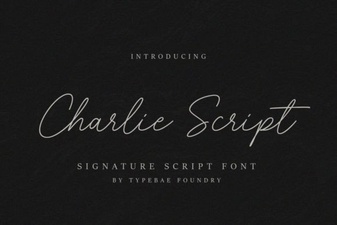 Charlie Script Font for Creative Design Projects
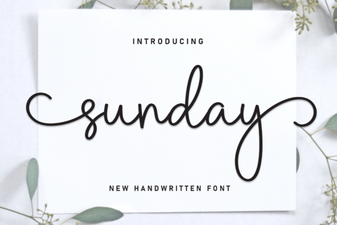 Sunday Font Guide: Design Tips & Projects
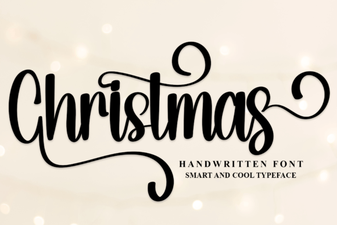 Festive Christmas Fonts for Holiday Designs
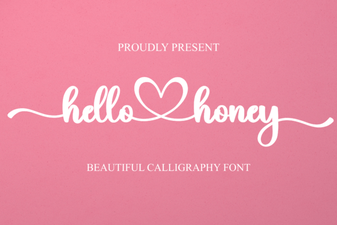 Hello Honey Font: Creative Handwritten Designs
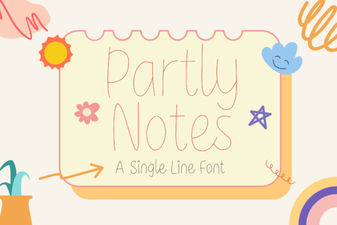 Partly Notes Font: Creative Typography for Design Projects
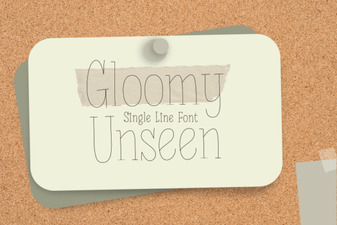 Download the Gloomy Unseen Font for Creative Design